
I have been trying to figure ways to improve the Website Promoters website that would give the website an edge and also be interesting. One idea that has been floating around is a mini version of UberSuggest that can be used on the website at any time and will provide a good summary of what the website does great in terms of SEO like only having one h1 tag and appropriate and effective use of meta tags. In this guide, I will walk you through the steps we as a team took to build a functional SEO app, utilizing the capabilities of Microsoft Anti-Gravity. From understanding the platform to deploying your application, we will cover everything you need to know.
Understanding Microsoft Anti-Gravity
Microsoft Anti-Gravity is a revolutionary platform that allows developers to create applications without the need for extensive coding. It employs artificial intelligence to assist in building software, making it accessible for both seasoned developers and beginners. The platform’s user-friendly interface and powerful features enable users to create applications efficiently.
Key Features of Microsoft Anti-Gravity
- AI-Powered Development: The platform uses AI to assist in coding, allowing users to focus on design and functionality rather than syntax.
- User-Friendly Interface: The intuitive design makes it easy for users to navigate and utilize various features.
- Integration Capabilities: Microsoft Anti-Gravity supports integration with other tools and platforms, enhancing its functionality.
Setting Up Your Project
Before diving into development, it’s essential to set up your project correctly. This involves creating a new project within Microsoft Anti-Gravity and configuring the necessary settings.
Step 1: Create a New Project
- Log in to Microsoft Anti-Gravity: Access your account and navigate to the dashboard.
- Select ‘Create New Project’: Choose this option to start a new application.
- Choose a Template: Depending on your needs, select a template that aligns with your SEO app’s goals.
Step 2: Configure Project Settings
- Project Name: Give your project a descriptive name that reflects its purpose.
- Description: Write a brief description to outline the app’s functionality.
- Set Permissions: Determine who can access and edit the project.
Designing Your SEO App
Once your project is set up, the next step is to design the user interface (UI) of your SEO app. A well-designed UI is crucial for user engagement and functionality.
Step 1: Layout Design
- Wireframe Your App: Sketch a basic layout of your app, including key features such as keyword analysis, backlink tracking, and performance metrics.
- Use Anti-Gravity’s Design Tools: Utilize the built-in design tools to create a visually appealing interface.
Step 2: Implementing Features
- Keyword Analysis Tool: Create a feature that allows users to input keywords and receive analysis on their performance.
- Backlink Tracker: Implement a tool that tracks backlinks and provides insights on their effectiveness.
- Performance Metrics Dashboard: Design a dashboard that displays key performance indicators (KPIs) for users to monitor their SEO efforts.
Utilizing AI Agents for Development
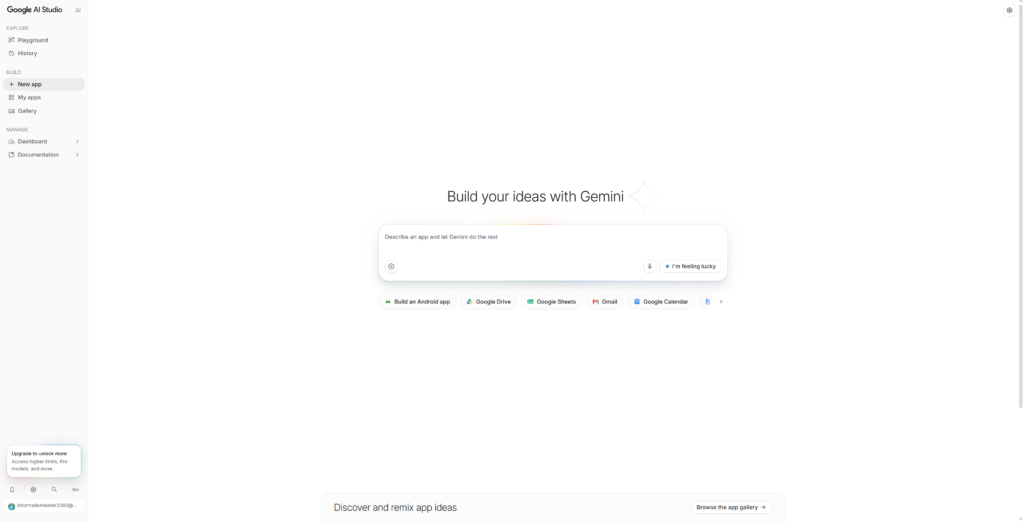
Google Gemini Dashboard
One of the standout features of Microsoft Anti-Gravity is its AI agents, which can assist in coding and feature implementation. Understanding how to effectively prompt these agents is key to maximizing their potential.
Step 1: Prompting the AI
- Clear Instructions: When asking the AI to build a feature, provide clear and concise instructions. For example, “Create a keyword analysis tool that displays search volume and competition.”
- Iterate on Feedback: Use the AI’s responses to refine your requests. If the initial output isn’t satisfactory, adjust your prompt for better results.
Step 2: Testing and Iteration
- Test Features: After implementing features, conduct thorough testing to ensure they function as intended.
- Gather User Feedback: If possible, involve potential users in the testing phase to gather feedback on usability and functionality.
Exporting Your Code
Once your SEO app is fully developed and tested, the next step is to export your code for deployment. Microsoft Anti-Gravity simplifies this process, allowing you to easily package your application.
Step 1: Exporting the Code
- Navigate to the Export Section: Find the export option within the platform.
- Select Export Format: Choose the desired format for your code (e.g., HTML, CSS, JavaScript).
- Download the Files: Click the export button to download your application files.
Step 2: Preparing for Deployment
- Choose a Hosting Platform: Select a hosting service that suits your needs (e.g., Netlify, Vercel). Vercel, now that brings back memories.
- Upload Your Files: Follow the hosting platform’s instructions to upload your exported files.
Deploying Your SEO App
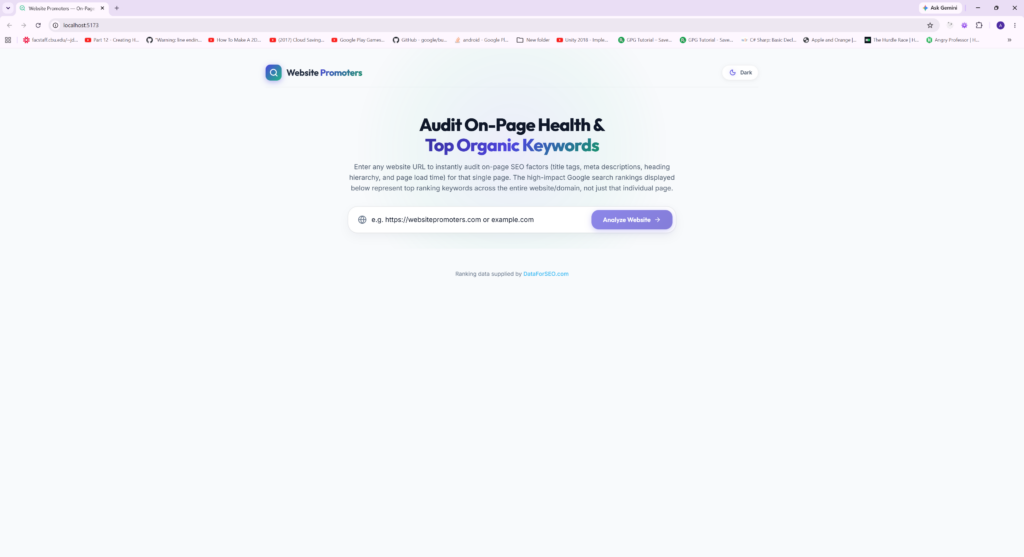
Deployment is the final step in bringing your SEO app to life. This process involves making your application accessible to users.
Step 1: Hosting Your Application
- Set Up Domain: If you have a custom domain, configure it to point to your hosting service. Fortunately for Website Promoters we are able to host it on the same server as Website Promoters and OC-Web-Design.
- Test Live Functionality: Once deployed, test the live version of your app to ensure everything works as expected.
Step 2: Monitor Performance
- Use Analytics Tools: Implement analytics tools to monitor user engagement and app performance.
- Gather User Feedback: Encourage users to provide feedback to identify areas for improvement.